For custom restaurant menus, send three things: your best logo file, your full menu text typed in order, and a clear sense of the look you want. Customized Restaurant Menus builds the layout from there, returns a free mockup within 24 hours, and revises it for free until you approve. No designer or print-ready file is required.
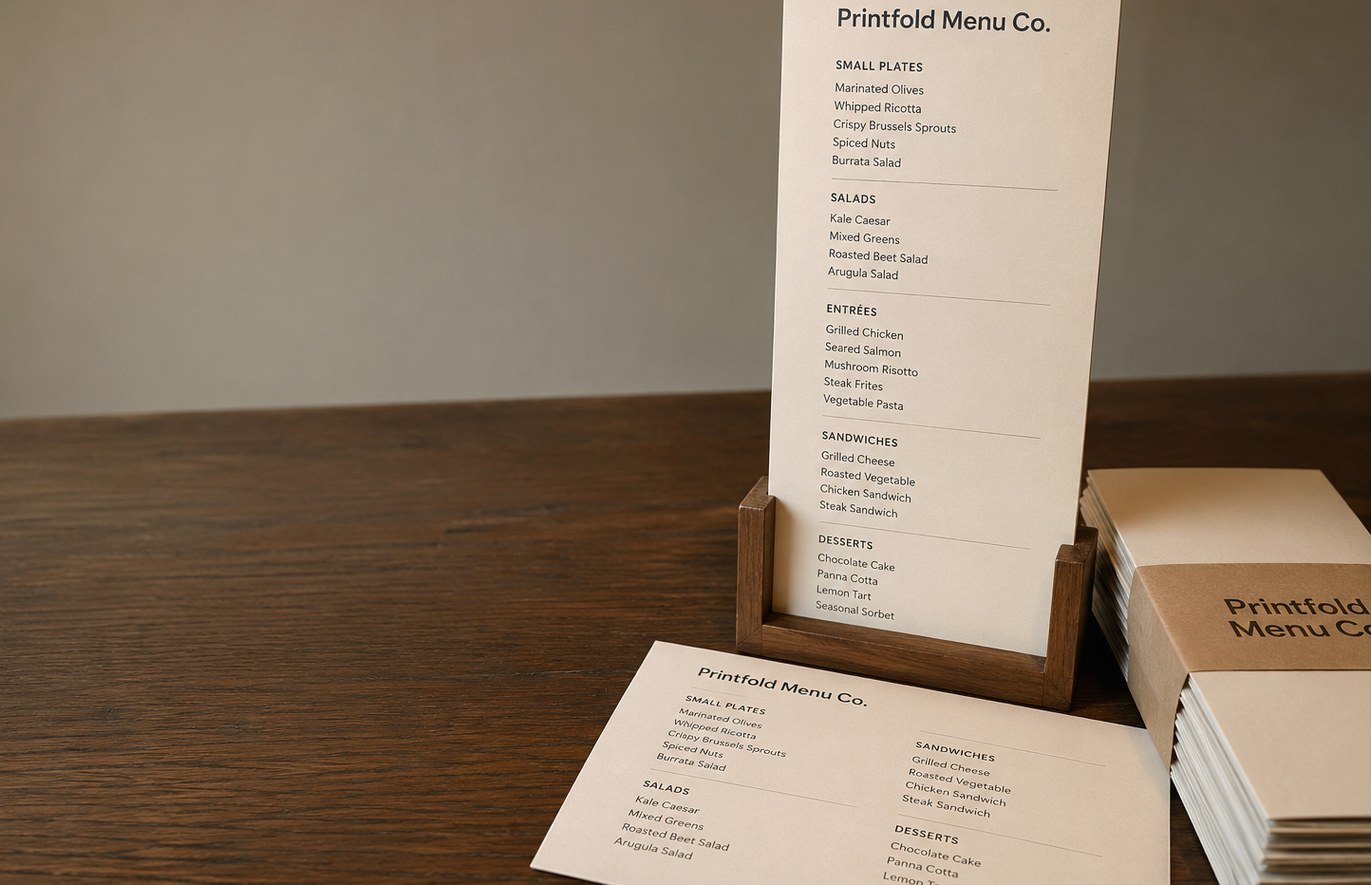
- No print-ready artwork needed: a logo, menu text and direction are enough
- Vector logo files (AI, EPS, SVG, vector PDF) print sharpest
- Free mockup within 24 hours, unlimited free revisions
- You pay nothing until you approve the design
- Minimum 12 menus per design, about 2 weeks standard turnaround
What artwork do you need to send for custom restaurant menus?
To order custom restaurant menus you need three things: your logo, your current menu text, and a sense of the look you want. Everything else, from layout to final print file, can be built by the design team at Customized Restaurant Menus. You do not need a designer, design software or a print-ready PDF to start an order.
The more complete those three inputs are, the closer the first mockup lands. A typed list of dishes with descriptions and section names beats a photo of a chalkboard. A clean logo file beats a screenshot of your website header. A note that says “dark wood, candlelit, Italian” tells the designer more than “make it nice.”
- Logo: the cleanest version you have, ideally the file your sign maker or web designer used.
- Menu copy: every section, dish name, description and dietary marker, typed in the order you want it.
- Direction: the room, the mood, and any menu you already like the look of.
- Format: which menus you need, such as dine-in, drinks, dessert, specials or takeout.
Which logo file formats work best for printed menus?
Vector logo files work best for printed restaurant menus because they stay sharp at any size, from a small mark on a takeout menu to a large crest on a cover. Vector formats include AI, EPS, SVG and PDFs exported from design software. If you only have a JPG or PNG, send the largest version you have and the team will advise whether it holds up.
Logos lifted from social media or a website are usually the weakest option. They are saved small for fast loading, so they look soft or jagged once printed on a menu that guests hold at reading distance. If your logo was made by a sign shop, a web designer or the person who did your storefront, ask them for the original file. Most keep a copy.
| Logo file you have | How it prints on a menu | What to do |
|---|---|---|
| AI, EPS, SVG or vector PDF | Sharp at any size | Send as is |
| Large PNG with a clear background | Usually fine at small sizes | Send it and ask for a check |
| Small JPG or screenshot | Often soft or blocky | Find the original or ask about a redraw |
| Photo of your sign | Not usable directly | Use as a reference only |
How should you prepare menu text before the mockup?
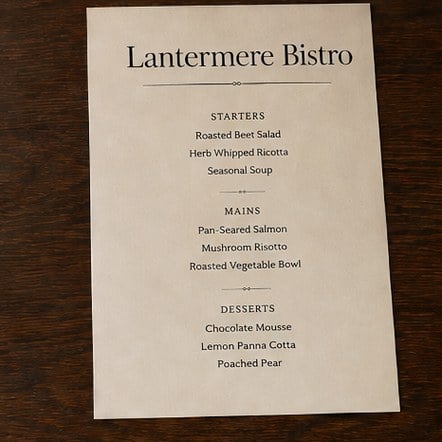
Prepare your restaurant menu text as a typed document in the exact order guests should read it, with section headings, dish names, descriptions and dietary markers already decided. Menu text is where most proof rounds go, so locking it before the first mockup is the single biggest time saver in the whole order.
Type the copy in a plain document or email rather than sending a photo of the old menu. Mark which items are signature dishes you want highlighted, which descriptions can be trimmed, and which items rotate. Decide how you show prices in your own copy, because the layout has to leave space for them. Keep dietary icons consistent: one symbol for vegetarian, one for gluten-free, one for spicy, explained once in a key.
- Copy the current menu into a document, section by section.
- Delete dishes that are leaving and add anything new.
- Have the chef or owner read every description for spelling and accuracy.
- Add allergen and dietary markers and a short key.
- Flag the items you want the eye to land on first.
What colors and fonts should a menu design request include?
A restaurant menu design request should name your brand colors and any fonts your brand already uses, plus the lighting in the dining room. Colors and fonts that look fine on a laptop can disappear under warm, dim restaurant lighting, so the room matters as much as the brand guide.
If you have a brand guide, send it. If not, describe colors in plain words, such as “the deep green on our awning” or “the terracotta on the walls,” and send a photo for reference. Printed color can shift from what you see on a screen, which is why Customized Restaurant Menus shows every design as a mockup first and adjusts it before anything prints.
For fonts, readability wins over personality in the body copy. A decorative script can carry the restaurant name or section headers, but dish descriptions need a clean, open typeface at a comfortable size. Tell the designer if your guests skew older or the room runs dark, and the layout will lean toward larger type and stronger contrast.
Can you send a menu you like as a design reference?
Yes. Sending a menu you like as a reference is one of the fastest ways to get a mockup that feels right on the first round. A photo or link to any menu, from another restaurant, a travel find or a design you saved, shows the designer the layout, spacing and mood you want far better than adjectives can.
Say what you like about the reference, because the team will not copy another restaurant’s menu. “I like how the wine list sits in two narrow columns” or “I like the generous white space between sections” is more useful than “make it like this.” Mixing references is fine too: the cover from one, the inside layout from another.
Your own existing menu is also a reference. Point out what works and what guests complain about, such as small type, crowded pages or a confusing order. Those notes go straight into the new layout on dine-in restaurant menus, specials cards and anything else in the order.
How does the free mockup and proof process work?
Customized Restaurant Menus sends a free digital mockup of your restaurant menus within 24 hours of receiving your artwork and copy. You review it, request changes, and get revised versions until the design is right. Revisions are unlimited and free, and you pay nothing until you approve the final design.
Check the mockup in three passes. First, read every word slowly for spelling, dish names and descriptions. Second, check structure: does each section sit where guests expect it, and do your highlighted dishes stand out? Third, look at it as a guest would, at arm’s length, ideally printed on paper and read in your dining room at service lighting.
Send all your changes from one review in a single message, with one person collecting feedback from the chef, manager and owner. Scattered notes from several people arriving over days are what turn a quick proof into a long one. Once you approve, production starts and the standard turnaround is about 2 weeks, with faster turnaround available through express shipping. The how it works page walks through each step.
What artwork mistakes delay a restaurant menu order?
The artwork mistakes that most often delay a restaurant menu order are unfinished menu text, low-resolution logos, and feedback that arrives in pieces. Each one adds a proof round, and every extra round pushes back the day production can start.
- Changing dishes after the proof: settle the menu with the kitchen before sending copy, not after the mockup arrives.
- Sending a website logo: small web images look soft in print. Hunt down the original file first.
- Forgetting the second menu: if you also need a drinks card or a daily specials menu, mention it up front so the designs match.
- Typos in dish names: foreign-language dishes and wine producers are the usual culprits. Have someone who knows them check.
- Approving on a phone only: a menu read on a small screen hides spacing and type problems. Review on a large screen or print it.
- Too many voices: one decision maker approves; everyone else feeds notes to that person.
How do you keep artwork ready for future menu reprints?
Keep restaurant menu artwork ready for reprints by saving the approved design files, keeping your menu text in one up-to-date document, and noting every change you make between print runs. A reprint with a few dish swaps moves much faster when the starting files are clean and current.
Customized Restaurant Menus keeps your approved design so a reprint starts from the last version rather than from scratch. When the menu changes, send only the edits: which dishes are out, which are in, and any description updates. The team updates the layout, sends a fresh mockup, and you approve before anything prints, the same way as the first order.
Seasonal restaurants and groups with several locations benefit most. A single master design with a swappable inside page, or a core menu plus seasonal inserts, keeps the look consistent while the dishes change. The menu programmes and reprints page covers how to plan recurring runs from the same artwork, still from a minimum of 12 menus per design.
Frequently asked questions
What is the best way to send a logo for a restaurant menu?
The best way to send a logo for restaurant menus is the original vector file, such as AI, EPS, SVG or a vector PDF, from whoever designed it. If that is not available, send the largest PNG or JPG you have. Customized Restaurant Menus checks every logo and will tell you before the mockup whether it prints cleanly or needs a fresh copy.
Can a blurry logo be fixed before menus print?
A blurry logo on restaurant menus can often be rebuilt as a clean version, depending on how simple the mark is and how much detail is visible in the file you have. Send the best copy you can find and explain where it came from. The design team will say whether a redraw is needed and show the result in the mockup before anything prints.
Should menu prices be included in the text I send?
Restaurant menus are laid out around your prices, so include them in the copy you send exactly as you want them printed. Price length and position affect column widths and spacing. If prices are still being finalized, use placeholders and say so. Customized Restaurant Menus will update them in a revised mockup at no charge before you approve the final design.
Can I send my menu text as a photo of the old menu?
Restaurant menu text can be sent as a photo, but a typed document is faster and far less likely to create errors. Retyping from a photo means more proof checking and more chance of a misspelled dish. If a photo is all you have, mark every change clearly on it, and check the resulting mockup line by line before you approve anything.
How do I show allergen and dietary icons on a menu?
Allergen and dietary markers on restaurant menus work best as a small, consistent set of symbols or letters, explained once in a key at the bottom of the page or the back cover. Mark each dish in your typed copy and tell the designer which markers you use. Customized Restaurant Menus will place them evenly so they read clearly without cluttering the descriptions.
Can my menu use the same font as my storefront sign?
Restaurant menus can usually match your storefront font for the name and headings, which ties the brand together from the street to the table. Send the font name or the file your sign maker used. For long dish descriptions, the designer may pair it with a cleaner body typeface so guests can read comfortably in your dining room lighting.
How many people should review a menu proof?
Restaurant menu proofs should have one final approver, with the chef and manager feeding notes to that person before each response. The chef checks dish names and descriptions, the manager checks structure and prices, and the owner signs off. Customized Restaurant Menus works best with one consolidated reply per round, which keeps revisions quick and avoids conflicting changes.
Will the printed menu colors match what I see on screen?
Restaurant menu colors on screen are a close guide, but printed color can look slightly different because screens emit light while paper reflects it. Brand colors described clearly, or matched to a physical sample like your awning or business card, help the most. Customized Restaurant Menus adjusts colors during the mockup stage so the final print looks right in your room.
Can I approve the design for one menu and keep editing another?
Restaurant menus in the same order can move at different speeds. You can approve your dine-in menu while the drinks or dessert card is still being revised. Customized Restaurant Menus keeps each design in its own proof thread, and every design still needs your approval before it prints, so nothing goes to production until you say it is ready.
What happens if I spot a typo after approving the menu?
Restaurant menu typos found after approval should be reported right away, since a correction is simple before production starts. Contact Customized Restaurant Menus as soon as you notice and the design team will check where the order stands. The best protection is a slow, printed read-through of the final mockup by someone who did not write the copy.
Can menu artwork include a map, QR code or social handles?
Restaurant menus can carry extras like your address, a small map, social handles or a QR code linking to your website or ordering page. Send the exact link or handle and say where you want it, usually the back cover. The design team places it in the mockup so you can test that any QR code scans before you approve.
Does the menu design need to be finished before I request a quote?
Restaurant menu design does not need to be finished to request a quote. Customized Restaurant Menus can quote from your menu type, rough quantity and format, then build the design alongside it. Send whatever artwork and copy you have through the quote form, and the free mockup arrives within 24 hours of receiving enough to start.
Get a free mockup for your restaurant menus
Send your logo or idea and the quantity you have in mind. Customized Restaurant Menus returns a free mockup within 24 hours, you approve the design before anything is produced, and standard turnaround is about two weeks with faster options available. Get a custom quote.